Many people learn AI, getting stuck in always chasing new tools and memorizing prompts. This class wants to change the direction: shift the question from 'How do I learn to use AI?' to 'How do I let AI know me?' When AI can read your data, remember your judgment, and understand your style, it will transform from a chat box into an editor who can help you make presentations, organize surveys, write social media content, and document work logs.
- Those who start using ChatGPT, Gemini, Claude, or Codex, and feel like they have to explain the background every time.
- Solo entrepreneurs, content creators, editors, instructors, or small business owners who want to turn AI into a work partner that can help continuously.
- Those who have many articles, surveys, presentations, and work logs but don't know how to organize them into a knowledge base that AI can use.
- Distinguish between 'chatting AI' and 'working Agent,' and understand why data should live in your own system.
- A three-layer memory system for training an AI Editor: work logs, skill packages, and handover documents.
- A complete starting path from safe practice, survey to presentation, inspiration pool, AI advisor, to social media output.
This presentation was made by my AI Editor
At the beginning of the class, I told the students a secret: the presentation you see in front of you was made by my AI Editor.
Before the class, the organizer handed me the registration form. I didn't read through each one, stay up all night to make the presentation, but instead put the survey and syllabus into the same folder, letting AI read through everything first, and organize a 'student drop-off analysis' report. After I saw who the students were and where they were stuck, I decided what to talk about tonight. Once the direction was clear, AI generated the presentation according to my usual format.
The ideas are mine, the judgments are mine; the rest of the editing, layout, and publishing can be handed over to AI. Because this way, I have time to seriously develop products and create content.
This entire approach does not require writing code from the beginning. Even if you only have the web version of ChatGPT or Gemini, you can start with project data, work logs, and folders. Desktop agents will be smoother, but the real starting point is to leave the data behind.
Chat-based AI will make you become the assistant of AI.
First, distinguish between two types of AI: chat-based AI will reply to you, and you need to copy the results yourself to operate; working AI, also known as Agent, will read data from your folders, modify files, and produce finished products.
When you tell it you need a promotional text, presentation, or website, it gives you text; then you need to copy, paste, and format it yourself. Over time, you will feel like you have become the assistant of AI.
Agents like Codex can read your project folder and directly help you organize data, write files, and make finished products. It is more like having an AI editor inside your computer.
More importantly, where the data is stored. If data is scattered in the chat records of various AI, you need to re-explain it to ChatGPT today, Gemini tomorrow, and Claude the day after. Each time, you need to re-explain. The value of desktop agents is to let various AI read the same data and the same memory, so collaboration has a foundation.
First learn safety: three life-saving habits
Since agents can operate your computer, the first lesson is to talk about safety, and efficiency comes later. Newcomers should not open all permissions at the beginning; first practice with a safe boundary.
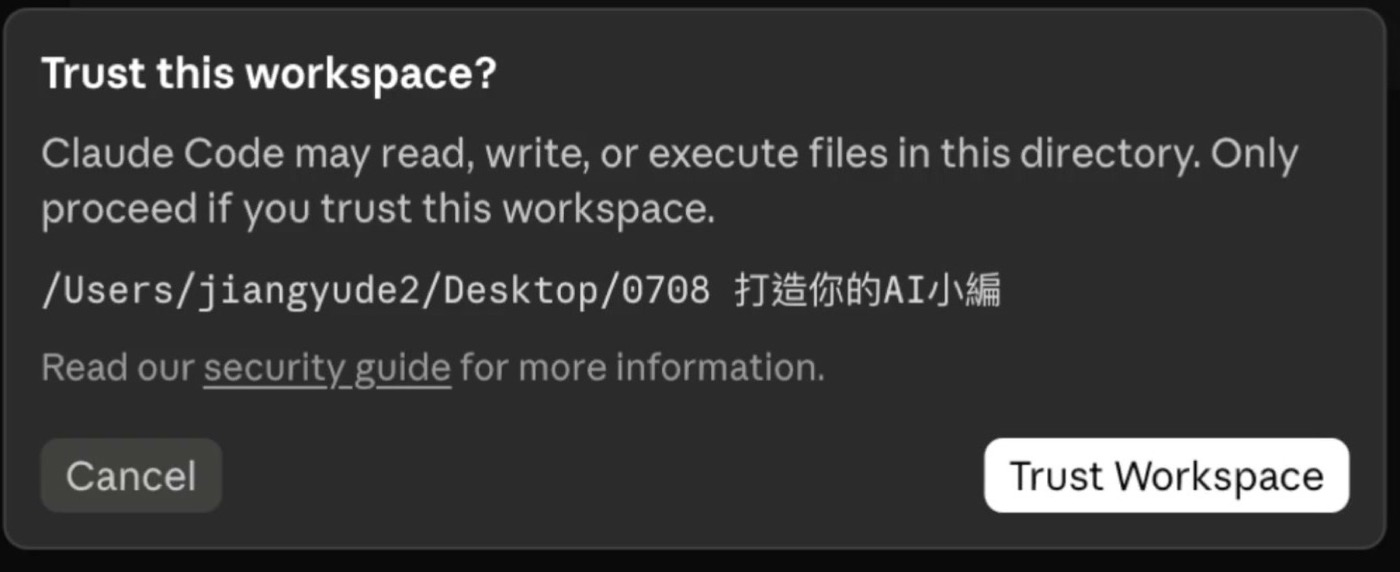
Every time you need to edit a file, search online, or execute a command, first understand what it is going to do. If you don't understand, ask it to explain or block it.
Create a new project folder, and only let AI operate there. Do not let it touch the main knowledge base or important data at the beginning.
Copy real work into a separate folder or create an empty folder. It doesn't matter if you mess it up, practice until you are familiar before handling real work.
There is another rule I always add. After making a backup, then tell it a mechanism:
This provides a safety net for recovery. If the AI misjudges or moves files incorrectly, everything remains in the trash folder, and you can retrieve it anytime. This rule is short, but it is the most important habit I have for safety.
Transforming a survey into a presentation: The first AI editor workflow
The first workflow I demonstrated in class is simple but suitable for beginners. Its approach is to first let the AI understand the data, then deliver it in segments, without asking it to generate a perfect presentation all at once.
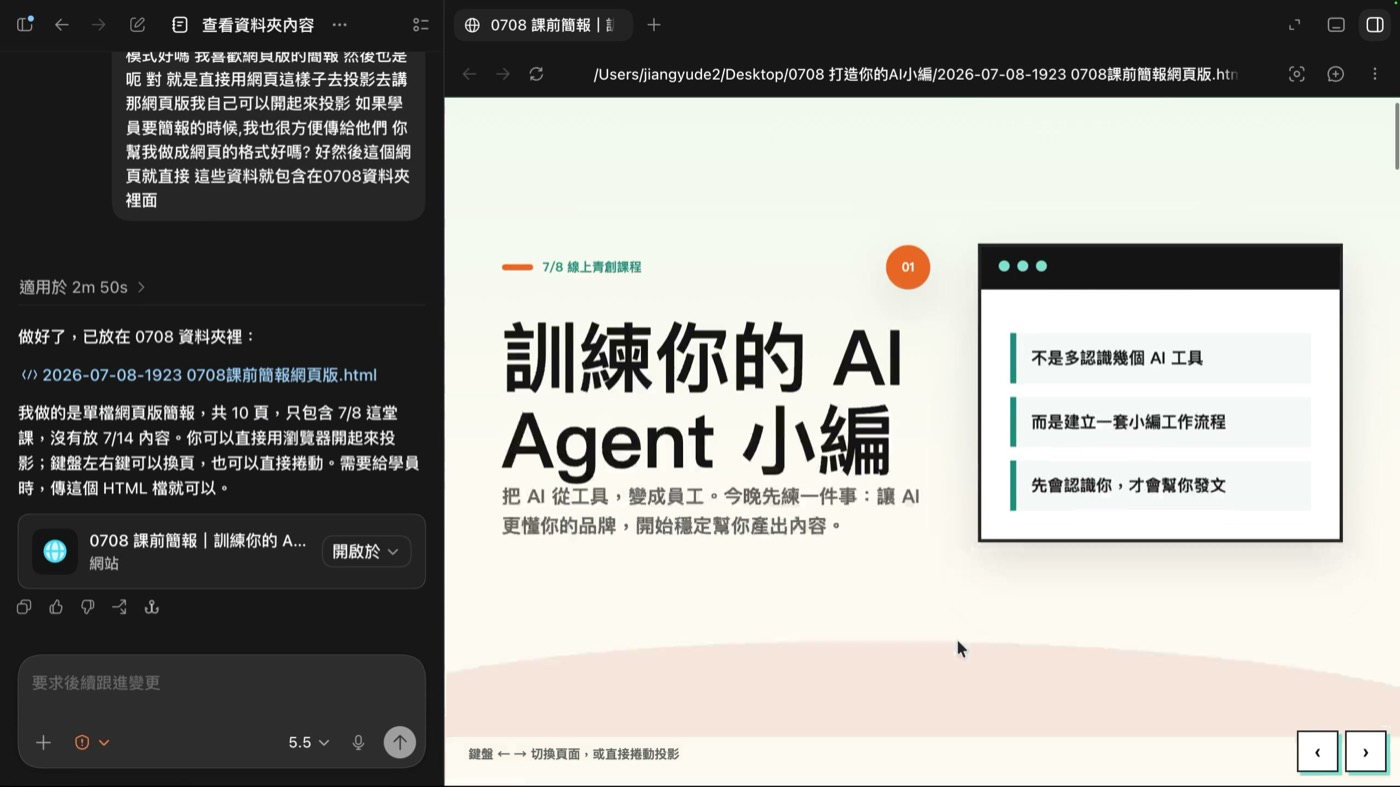
Copy the curriculum, student surveys, and related materials into the same folder, making the AI's working scope clear.
Ask it to first check the contents of the folder, confirm there are no missing files, and then proceed with the tasks.
Generating graphics is expensive and slow. First check its text plan to confirm the direction, then let it proceed with the work.
Using an HTML web presentation, it is fast, flexible, and can be directly shared via a link.
Do not just say 'it doesn't look good.' Clearly explain font size, color codes, and layout requirements so the AI can make stable modifications.
Save the draft immediately after it is generated. After that, modifying the first sentence only changes the first sentence, and the entire file does not need to be regenerated.
In these six steps, the second and third steps are most easily skipped. Most people start by asking the AI to create the final product, and when it is incorrect, they restate the requirements, going back and forth several times before it is still incorrect. My approach is to first confirm what it has read:
It lists the files, and you can then know whether there are missing files or whether the folder is read correctly. Confirm it first, then assign it, and first provide the text, not directly let it generate the final product:
Generating graphics is expensive and slow, and if the direction is wrong, the whole thing has to be redone. First look at the text plan, confirm that it really understands what you want, then let it start working.
When making modifications, be specific. Instead of saying 'it doesn't look good,' say something like:
There is also a pitfall that many people fall into: once the draft is out, immediately ask it to save it as a file. If it keeps staying in the chat box, every time you modify it, it will regenerate the whole thing. Once saved as a file, when you say to modify the first sentence, it will only modify the first sentence in the file, and the rest will not be touched.
That 'student drop point analysis' is also a key point. It organizes the problems of a class into a map, letting me see where everyone is stuck, and which core issues, once answered, can help the most people. Once it is smooth, I just need to say 'help me organize it into a drop point map,' and the AI will know what I want. This is about training the AI to remember your judgment.
Let the AI remember you: work log, skill package, handover documents
After completing a task, the most valuable thing is the rules, judgments, aesthetics, and brand concepts in the conversation, with the final product being secondary. If you don't record it, you have to explain it all over again. I divide the memory into three layers.
When the task is completed, ask the AI to record all the valuable information in the conversation into a file. This is the simplest and most important starting point.
The work log is like an oral promise, and the skill package is like a contract in black and white. Write the stable process into a formal operation manual that the AI can understand.
A new Agent will know what data it can read, what it cannot do, and your workflow and style when it enters.
The first layer is the simplest and should be done today. Before each task ends, tell it this sentence:
It will generate a Markdown file, saved in the folder you specify. Markdown is the best readable file format for AI, and it can be opened with Notepad. This is the first brick of your knowledge base.
But the work log is just for reference, similar to a prompt. It's just a prompt. If you want AI to follow the same process every time, move up a level:
A skill package (Skill) can be understood as an operation manual, like a company having SOP. The difference between a skill package and a work log is in enforceability: Markdown is just a file format, like HTML, PDF, or TXT. A skill package is an agreement. A work log is like me verbally telling you, 'Okay, help you organize tomorrow,' while a skill package is like a contract in black and white, with much stronger enforceability for AI.
A skill package itself is also written in Markdown, so you don't need to learn anything new. When you say 'help me make a skill package,' it will automatically generate it according to the standard, because it already has an internal 'skill package for helping everyone make skill packages.' After completing it, next time I just need to give it the syllabus and the student survey, and say 'make a presentation,' and it will automatically start the teaching presentation skill package, running through the entire process just now.
The name of the skill package should be clear. For making presentations, making infographics, making proposal pages, there will be more and more, and if the name is vague, it will get messy.
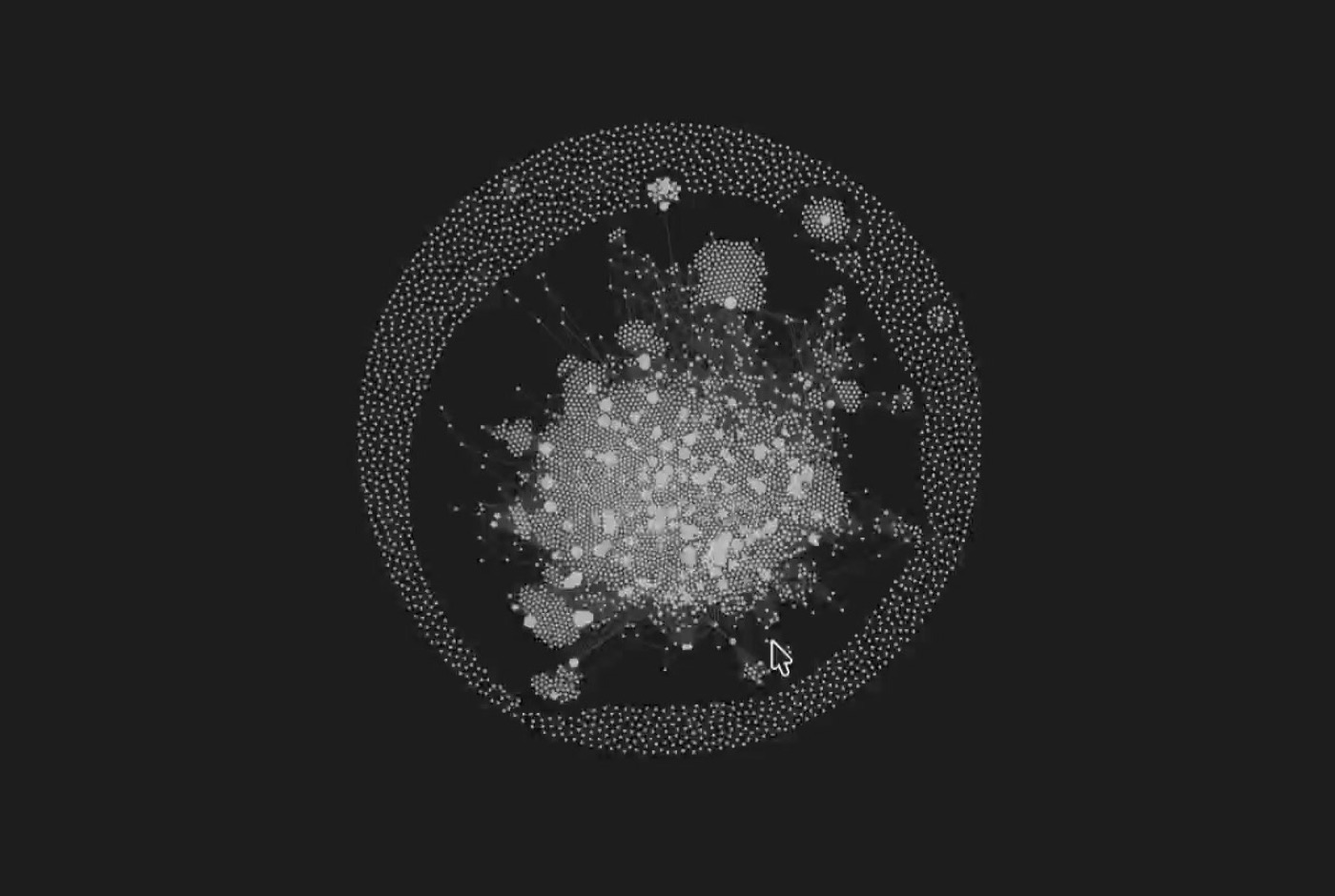
Also, pay attention to the third layer. If you use different AIs, the memory should be in the same place, otherwise, one AI remembers and the other doesn't:
Without an Agent, you can start today
If the computer can't install a desktop Agent, or you're only used to the web version, don't wait. The core is to leave the data behind, so that AI has something to read.
- Using ChatGPT: Start a project, put past articles, brand settings, common tone, and cases into the data source, and first make a small knowledge base.
- Using Gemini: Pair with NotebookLM, and organize the data into a knowledge collection that can be asked about and cited.
- No matter which one you use: After each task is completed, ask it to write the process as a work log and save it as a document in your possession.
The disadvantage of the web version is that data is easily tied to a single ecosystem. In the long run, I still recommend organizing data in your own folder and knowledge base, and let different AIs read the same data.
Treat AI as an advisor, a stranger customer, and a market translator
An AI editor doesn't just help you with formatting; it can also help you see blind spots you can't see. The key is to give it specific benchmarks, specific roles, and specific tasks, not just abstract needs.
Don't just say 'please act as a senior corporate advisor.' You need to clearly specify who you're benchmarking against, what you admire, and from what angle you want it to remind you. For example, I make Navar a consultant skill package, especially reminding myself about a solo company, balance, and long-term compounding.
For new products, new courses, or new copy, you can first let AI simulate different audiences to test, and point out where it's hard to understand. This can't replace real human market testing, but it's very suitable for catching blind spots in the early stages.
Professionals often write content that they themselves find important, but the audience doesn't feel. Please have AI rewrite the title and opening from the reader's pain points, language, and context, so that professional content can be understood.
If you still can't clearly explain your own positioning, first let AI ask questions to dig it out, don't try to figure it out yourself:
The key is 'ask me one question at a time.' Without this sentence, it will ask you ten questions at once, and you'll be unable to answer.
Inspiration pool: let posts be stable and have your own flavor
Stable posting relies on keeping inspiration saved regularly. This approach avoids forcing yourself to think about what to post every day. When you see a case study, a question from a student, or a market reaction, collect it. Also write down why you think it is useful and what situations it would apply to.
After accumulating for a while, you'll have a bunch of scattered notes. At this point, let AI help turn them into usable inspiration words:
Tagging is the key step. With tags, similar themes will naturally group together, and you'll see that you've been talking about the same thing all along.
When posting, let AI combine 'an attractive hook + real audience context + your solution' to create content. This way, the content isn't just a template, and it will have your unique flavor.
What you need to practice is organizational management.
Looking further ahead, agents will increasingly resemble a team. You might have an AI big boss, managing different editors, researchers, designers, and reviewers. People no longer do every step themselves, but instead watch the direction, make judgments, and set rules.
Therefore, the real key ability is organizational management ability. Now, agents are your AI employees; in the future, the competition will be about who is better at training, delegating, and organizing a group of AI employees.
This is why I say steel is not used to reinforce wooden houses. Most people use AI, and they are still patching old processes; the real opportunity is to use AI to redesign an entire house.
Your first step
You don't need to do the whole system at once. Today, just do one thing: open the AI you're using and paste the following sentence to it.
Then save the work log it generates into your own data repository. Don't worry about the format being correct or the content being complete; just have the first version.
Your knowledge base will start growing from this first work log.
Notes and verification explanation
This article is compiled from the 2026-07-08 Jiagehaoyang Online Youth Innovation Course 'Training Your AI Agent Editor: Turning AI from a Tool into an Employee' lecture notes and teaching manual. External case studies (such as brands using AI to simulate consumer testing) are retained as methodological context, but formal citations should still refer to the original research and publicly available data.