What this article is about
Large language models, prompts, context, RAG, MCP, Agents, skill packages. You have probably heard a few of these, but what are they really, and how do they relate to each other? Worse, just as you finally get a handle on a few, another batch shows up next week. Topping up your knowledge is not enough on its own. You need a method that keeps working from here on.
This article covers two moves: first, build your own learning map; second, add a personal profile. The front half is the full walkthrough, how to open a project, what instructions to write, how to keep the map updated. The back half is the three layers of application from my talk, spanning learners, teachers, and dynamic rule-based judgment.
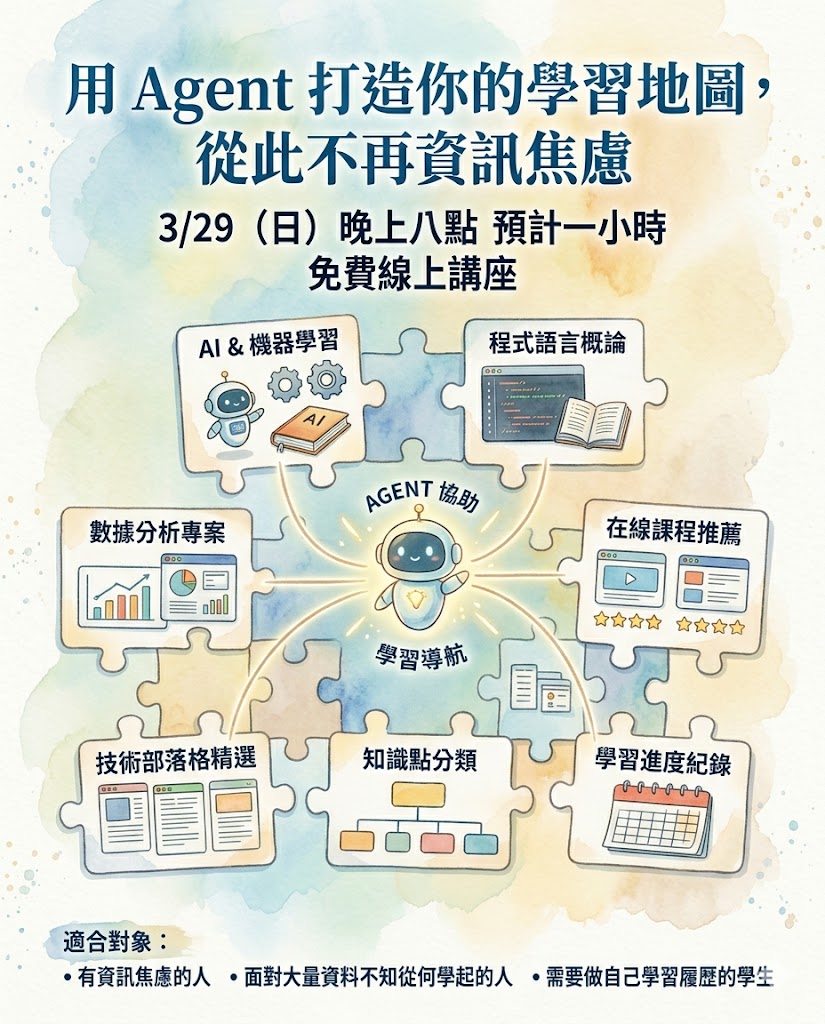
· People who want to learn AI but keep getting anxious about the flood of new terms
· People who want to learn systematically but have no idea where to begin
· Students and career changers who need to build their own learning record
· Teachers who want to use an Agent to manage teaching context and produce customized lesson plans for students
· How to build your own learning map with AI's project mode, in a beginner and an advanced version
· Four instructions you can copy straight out, plus how to update and clean up the project space
· How a personal profile lets AI judge whether something is worth learning at all
· Three application cases: learning map, teaching context, automated scheduling
· A three-layer skill-tree exercise you can start tonight
A learning map has to answer four things
Many people learn AI by collecting articles, videos, tool lists, and course links all at once. The more the material piles up, the less they know what to do next. What is missing is a map, one that can answer four things: where am I now, what do I learn next, what ability will I have once I finish, and how often should I review.
When you hand a topic to AI, don't just ask it to list a pile of resources. That only moves your bookmarks from one place to another. A better way to ask is to have it break the topic into a skill tree:
When every node has its own practice and its own check, it becomes far more trackable than just watching tutorial videos. Vague anxiety turns into small nodes you can finish one at a time.
Move one: how to start, build your first version with project mode
Here is a problem I ran into while learning AI myself: every new thing I picked up arrived loose. Today I finally understood what RAG is, tomorrow I heard about MCP, the day after another new term showed up. Every knowledge point stood on its own, with nothing tying them together. Learning that way feels deeply insecure, because you always feel like something is missing.
So I changed my approach. Every time I learn something new, I don't stop at "knowing what it is." I ask AI to compare it against what I already know. Say some hot new tool comes out. I drop it in and ask, and AI tells me roughly where it sits on my knowledge map, which concept I learned before it resembles, and where the differences are. That way I don't start from zero. The new knowledge attaches straight onto the old. The more I have learned, the faster the next thing attaches.
Both ChatGPT and Claude have a "Projects" feature for this, and free accounts can use it right now. The walkthrough below uses ChatGPT. Pick whichever version matches where you are.
Beginner version: nothing is clear yet, starting from zero
If AI concepts are still fuzzy to you, you have no notes of your own, and you are not sure what approach suits you, that's fine. Let AI find the starting point for you.
Open ChatGPT, find the "Projects" feature, create a new project, and give it a name, something like "My AI Learning Map."
Think back on your past chats with AI. Was there an explanation that really clicked? If nothing comes to mind, just ask it.
Ask about a few terms you have heard lately but never quite understood, then have it write them up as a first draft and save that into the project's Files area.
If one explanation does stick in your memory, just tell AI: "The way you explained it last time made a lot of sense to me. Teach me that way from now on." If nothing comes to mind, hand it this instead:
AI will read through your past conversations, work out how you like to learn, and produce an instruction. (This step only works if it can actually see your old chats. If memory is off on your account, or the account is new, it will tell you it can't see them; in that case pick two or three exchanges where the explanation landed well and paste those in yourself. It works just as well.) Paste that into the project's "Instructions" field and you are set. Mine reads: "Use the frame of onboarding a new hire at work to draw analogies for AI concepts, so the user can follow along. Every concept, technique, and term should be compared to a workplace setting, a work process, or training a new colleague."
Once the instruction is in place you can start asking. Pick a few AI terms you have heard recently but never quite grasped, and let AI explain them in the style it just designed for you. After a few rounds, tell it:
AI will produce a file. Add that file to the project's Files area and your first learning map is done. After you hit add, you can upload a file, or use "Add text" and paste what AI generated straight in.
Advanced version: you already have notes or a method
If you already keep some study notes, or you already know how you like to make sense of AI concepts, this goes faster. Create a project the same way, then drop your existing notes and write-ups straight into the Files area.
For me, the frame is onboarding an intern at work. The large language model is that brilliant but inexperienced new hire, and I walk it through the workplace step by step. I already had a set of notes written around that analogy, so I just dropped them in.
Then, in the project's "Instructions" field, write this. Copy it as is, or adapt it to your own version:
If you have an analogy you prefer, add that too. For example: "Use the frame of onboarding an intern at work, so I can understand every AI concept through that lens." Once it's set, you can start using it.
Why use a project space instead of ordinary chats
How to keep it updated
My habit is to drop in one or two new concepts a day as I run into them. Once enough builds up, say a dozen or so new knowledge points, I tell AI:
AI produces an updated file, and you delete the old one and swap the new one in. Your learning map gets more complete each round, and after every update the next new thing lands faster, because the richer the base AI draws on, the sharper the comparisons it can make.
One important reminder: clean it out regularly
Move two: add a personal profile and judge first whether it's worth learning
A learning map solves "something new showed up, how do I understand it quickly." A personal profile solves the question that comes before that: "should I be learning this thing at all?"
It's straightforward. In the same project, add one more file spelling out who you are, what you do, and the kind of work and problems you are digging into right now. Mine says something like: I work in knowledge management, focused on distilling tacit knowledge and applying large language models.
So when I drop in a new paper or a new tool, I can just ask:
AI makes the call based on your profile. If the thing connects to your direction, it tells you which parts are worth reading. If it doesn't, you can consider skipping it.
Which fields to put in the profile, and how to write one step by step, is covered separately in Make your AI understand you. It takes about ten minutes on a phone.
Three layers of application, one: learners turn what they've studied into a record
Those two moves are the opening, and you don't need to code to get them working. The three layers below are where the same method can go once it grows, drawn from the talk "Build Your Learning Map with an Agent."
The core idea of the first layer is "your documents are your system." You don't need to know how to code. As long as you organize your knowledge, experience, and rules into documents, an Agent can read them, act on them, and get things done for you. In practice it comes down to three steps:
Write down your positioning, background, and judgment criteria as a document, so the Agent gets to know you first.
Let the Agent pull in, arrange, and sort your scattered bookmarks, notes, and tutorial links.
Run it your own way: have the Agent follow your own process.
Once you finish, you get a learning record: what you have learned becomes a visible result. This is especially useful for students. The projects, exercises, and reflections from your studies all get organized into a map you can show off, which beats a stack of bookmarks no one ever opens.
Your learning status should be recorded too. Use Markdown or a knowledge base to save each topic's goal, resources, practice, reflections, and next step. Once the Agent can read these records, it can remind you of the next step and help you organize your reviews. Learning no longer rides on your enthusiasm in the moment; it gains an external system you can pick back up.
Three layers of application, two: teachers use an Agent to manage teaching context
Apply the same method to a teacher, and what you organize becomes the teaching context: put your own slides, lesson plans, and teaching logic into a folder, keep feeding in new materials and references, and add each student's situation and progress.
Over time the Agent understands you better and better. When new material comes in, it can produce a customized lesson plan straight from your past teaching habits combined with this particular class's context. Which ability node each lesson maps to, what work students finish, and how to extend it after class are all clearly marked, which also makes it easier for students to see why they are learning this section.
The trait of this system is that it gets smarter the more you use it, and that is exactly where it differs from a static database. On top of that, all the data lives on your own computer, so you are free to switch platforms whenever you like.
Three layers of application, three: hand dynamic rules to an Agent too, a scheduling case
The first two layers handle static material; the third shows abstract rules and complex judgment. I once built an automated scheduling system for a friend: I wrote the company's scheduling rules into a skill package, spelling out who can't be off at the same time, how time-off requests are prioritized, and how to handle special cases. After that, everyone just drops in the days they want off, and the Agent works out the optimal solution and produces an Excel sheet directly.
Turn the rules into a skill package and the Agent can run your SOP. Big companies buy a system; small companies and small teams can get by on an Agent. It is the same principle as the learning map: write the "judgment only you know" into documents that AI can read.
How to practice: draw a three-layer skill tree first
The smallest exercise you can start tonight: pick a topic you are currently learning and ask AI to break it into a three-layer skill tree.
- Layer one, core abilities: what three to five ability nodes does this topic break down into.
- Layer two, practice tasks: design one small, finishable exercise for each node.
- Layer three, verifiable outcomes: what visible output each exercise leaves behind once done.
- Save this skill tree as a document, and come back to update the status and your notes each time you finish a node.
- Then add a personal profile spelling out who you are and what you do. Next time something new lands, ask it first whether the thing has anything to do with you.
This small map will serve you better than endlessly collecting resources. Once the documents accumulate and you let an Agent read the whole folder, your learning map starts to grow on its own. If you want to see which course ability nodes this personal map connects to, compare it against my AI course map; and a ready-made learning-map skill package is available on the skill package download page.
AI techniques and terminology never stop coming. That is simply the reality, and chasing them only makes the anxiety worse. Build your own learning map so every new piece of knowledge can attach to what you already know, and add a personal profile so AI can help you judge whether a thing has anything to do with you. Put those two moves together and you have a learning system of your own. New things showing up is no longer a problem, because you have your own structure to digest them with.